Microsoft Intune
Windows and macOS devices through Microsoft Graph, including BitLocker key presence and FileVault escrow.
DeviceManagementManagedDevices.Read.AllBitlockerKey.ReadBasic.AllUser.Read.AllPull device data from Microsoft Intune or Jamf Pro, or drop in a CSV or Excel file. Every device is classed as compliant, high risk or critical, then mapped by department, region and OS.
Runs entirely on your machine. No account needed.
A device is compliant only when it is encrypted and its recovery key is escrowed. Everything else is a gap, ranked by how bad it is.
Not encrypted. Disk data is readable without authentication.
Encrypted, but the recovery key is not escrowed. If the password is lost, so is the data.
Encrypted and the key is escrowed. Protected and recoverable.
Cross any two of region, department and OS. Cells run red to green, with a stacked bar chart that puts the biggest gaps first.
Every non-compliant device in one sortable, filterable table, labelled Critical or High. Export the view to CSV.
Connect Intune or Jamf Pro with read-only access, or upload any CSV or Excel export up to 25 MB.
Always on screen: total devices, encryption %, key-escrow %, compliance score and gap count.
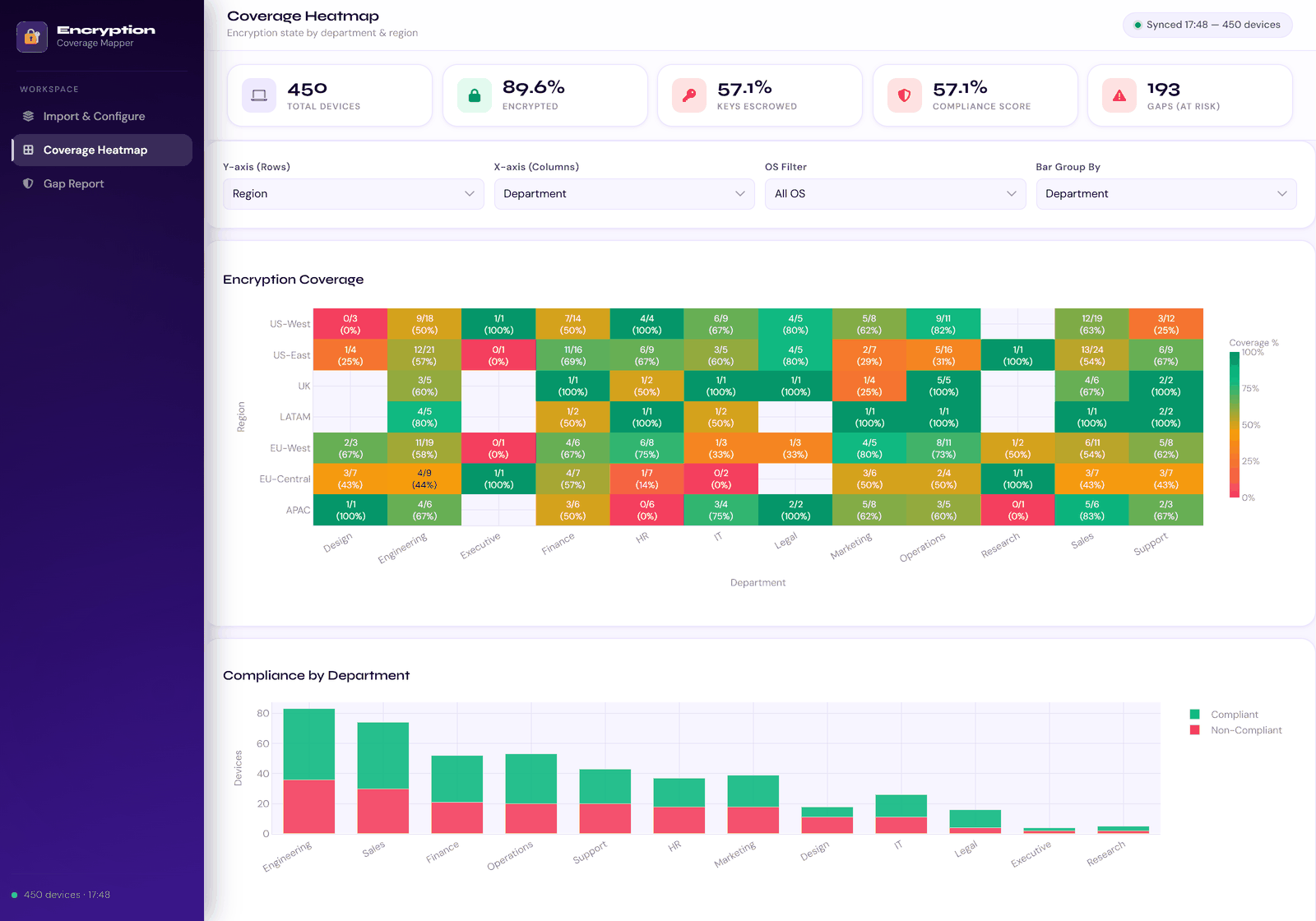
Coverage heatmap, region by department, using the bundled demo fleet.
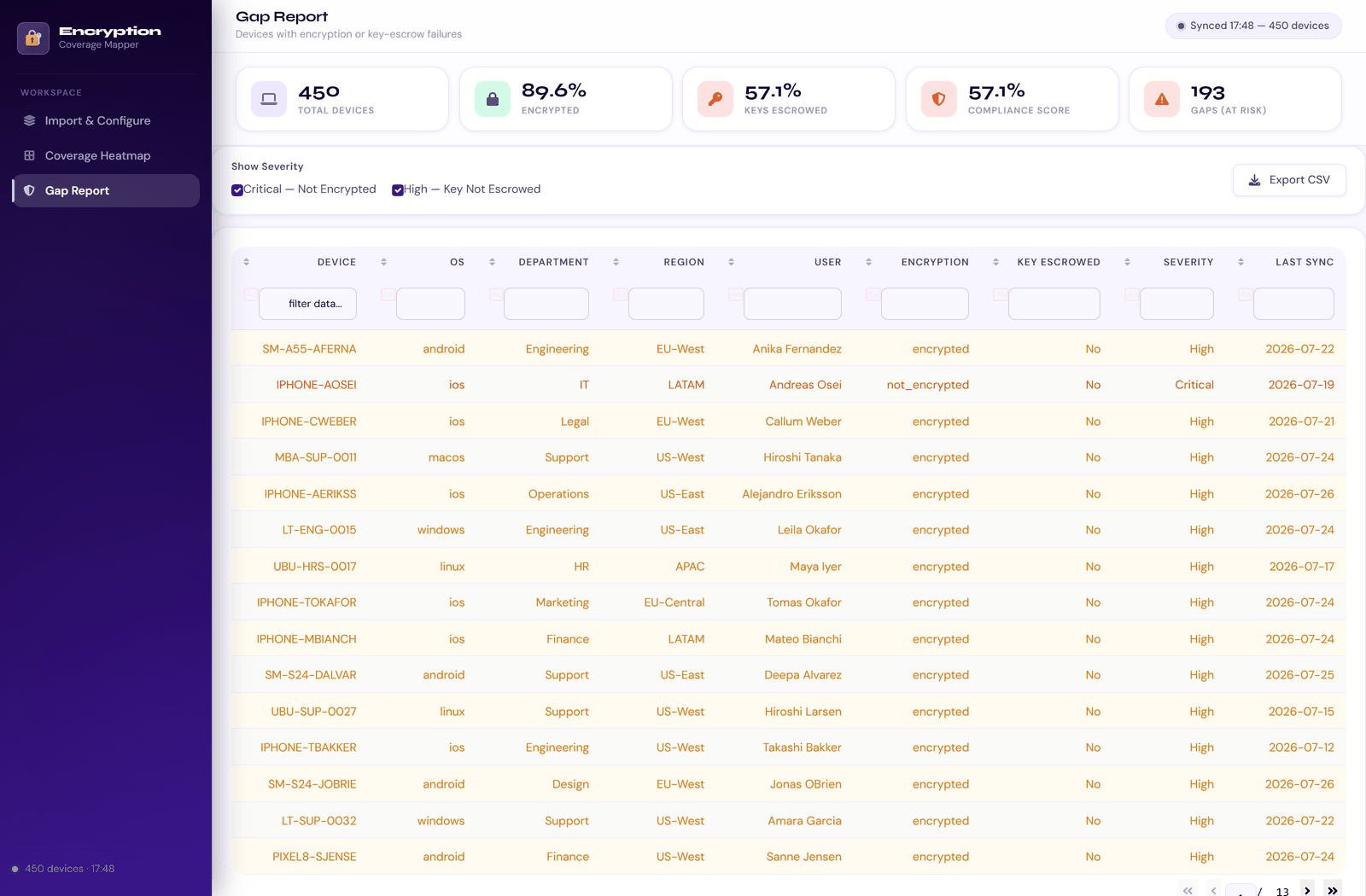
Gap report: search, sort, export.
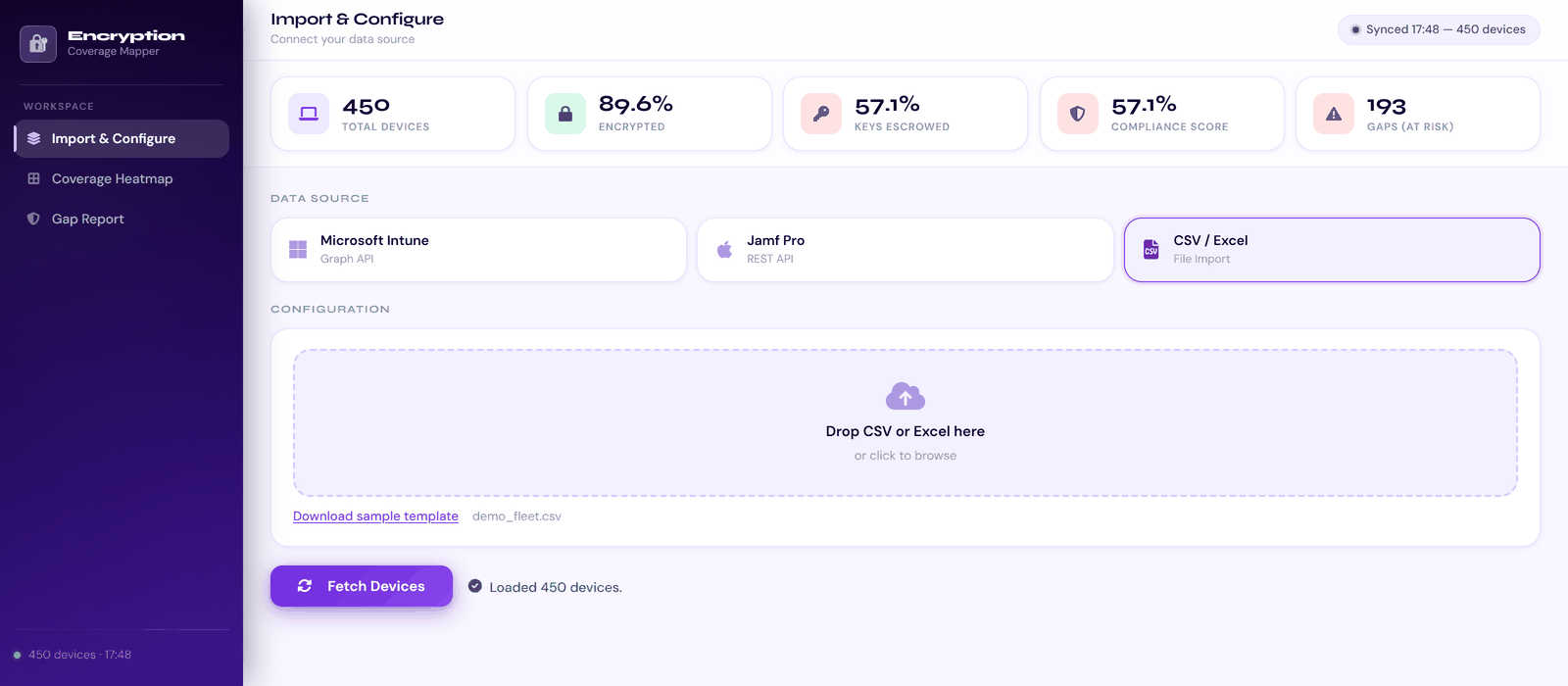
Import from Intune, Jamf Pro or a file.
Windows and macOS devices through Microsoft Graph, including BitLocker key presence and FileVault escrow.
DeviceManagementManagedDevices.Read.AllBitlockerKey.ReadBasic.AllUser.Read.AllMac computers from the Jamf Pro REST API (10.35 or later): FileVault state, recovery key, user and department.
Read ComputersRead Computer Inventory CollectionRead DepartmentsAny export. Four required columns, the rest optional, and a sample template built in.
device_iddevice_nameosencryption_statusThese builds are not code-signed. On Windows choose More info, then Run anyway. On macOS right-click the app and choose Open.
The Azure app registration is missing BitlockerKey.ReadBasic.All, or admin consent has not been granted. The app still loads and shows a warning.
The department lookup failed. For Intune, grant User.Read.All. For Jamf, add Read Departments to the API role.
User lookups run in parallel, up to 15 at once. Expect roughly 30 to 60 seconds for fleets above 5,000 devices.
Yes. Upload a CSV or Excel file with the four required columns.
Yes. The gap report exports the current filtered view to a timestamped CSV.